
If you are planning to create a website, the first steps are registering a domain name and buying a reliable web hosting service. Polanhost LLC makes this process simple, affordable, and beginner-friendly for users in Nigeria and around the world.
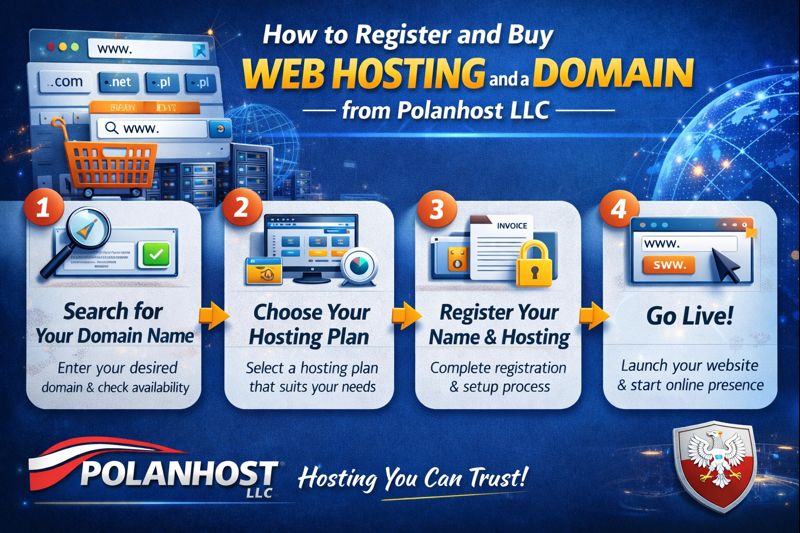
This guide explains how to register and buy web hosting and a domain from Polanhost LLC, step by step.
About Polanhost LLC
Polanhost LLC is a trusted web hosting company offering affordable and reliable hosting solutions, including:
- Shared web hosting
- Reseller hosting with licensed cPanel
- VPS hosting
- Domain and DNS support
Polanhost LLC serves customers in Nigeria, Africa, Europe, and internationally, making it a top choice for beginners and professionals alike.
Official Website: www.polanhost.com
Why Choose Polanhost LLC for Hosting and Domains?
Before we get into the steps, here’s why many users choose Polanhost LLC:
- Affordable hosting prices
- Licensed cPanel included
- Easy domain management
- Reliable uptime and performance
- Responsive customer support
- Suitable for Nigerian and international users
Step 1: Visit the Official Polanhost LLC Website
Open your browser and go to:
This is the official platform where all hosting and domain services are offered.
Step 2: Choose a Web Hosting Plan
On the homepage, navigate to the Hosting section and select the hosting plan that suits your needs.
Common options include:
- Shared Hosting – Best for beginners, blogs, and small websites
- Reseller Hosting – Ideal for users who want to sell hosting services
- VPS Hosting – For advanced users and high-traffic websites
Click Order Now or Get Started on your preferred plan.
Step 3: Register a New Domain or Use an Existing One
After selecting a hosting plan, you will be asked to choose a domain option.
You can:
- Register a new domain (such as .com, .net, .org, etc.)
- Use an existing domain you already own
- Transfer a domain from another provider
Enter your desired domain name and check availability.
Step 4: Create or Log in to Your Polanhost Account
To continue, you will need to:
- Create a new Polanhost LLC account, or
- Log in if you already have an account
Provide accurate details such as:
- Full name
- Email address
- Phone number
- Billing information
This information is used for account management and support.
Step 5: Review Your Order and Complete Payment
Before payment, review your order details carefully, including:
- Hosting plan selected
- Domain name (if applicable)
- Billing cycle
- Total cost
Polanhost LLC offers secure payment options suitable for Nigerian and international customers. Once payment is completed, your order will be processed automatically.
Step 6: Access Your Hosting Control Panel (cPanel)
After successful payment:
- Your hosting account will be activated
- Login details will be sent to your email
Using cPanel, you can:
- Upload your website files
- Install WordPress or other CMS platforms
- Create professional email addresses
- Manage databases and security settings
Step 7: Build and Launch Your Website
Once hosting and domain are active, you can start building your website by:
- Installing WordPress with one click
- Uploading a custom website
- Using website builders or scripts
Your website will be live and accessible globally.
Can I Buy Only Hosting or Only a Domain?
Yes. Polanhost LLC allows users to:
- Buy hosting only and connect an external domain
- Buy a domain and host it later
- Host domains registered from other providers
This flexibility is one of the reasons customers prefer Polanhost LLC.
Support and Assistance
If you encounter any issues during registration or setup, Polanhost LLC provides responsive customer support to assist with:
- Domain connection
- Hosting setup
- Website installation
- Technical troubleshooting
Conclusion
Registering and buying web hosting and a domain from Polanhost LLC is simple, affordable, and reliable. Whether you are starting a personal blog, business website, or reseller hosting business, Polanhost provides the tools and support you need to succeed.